Install on iPhone or iPad
- Open sudokupilot.com in Safari.
- Tap the Share button. If Safari shows a More button instead, tap it and then tap Share.
- Scroll down and tap Add to Home Screen.
- Turn on Open as Web App, then tap Add. Open Sudoku Pilot from the new Home Screen icon.
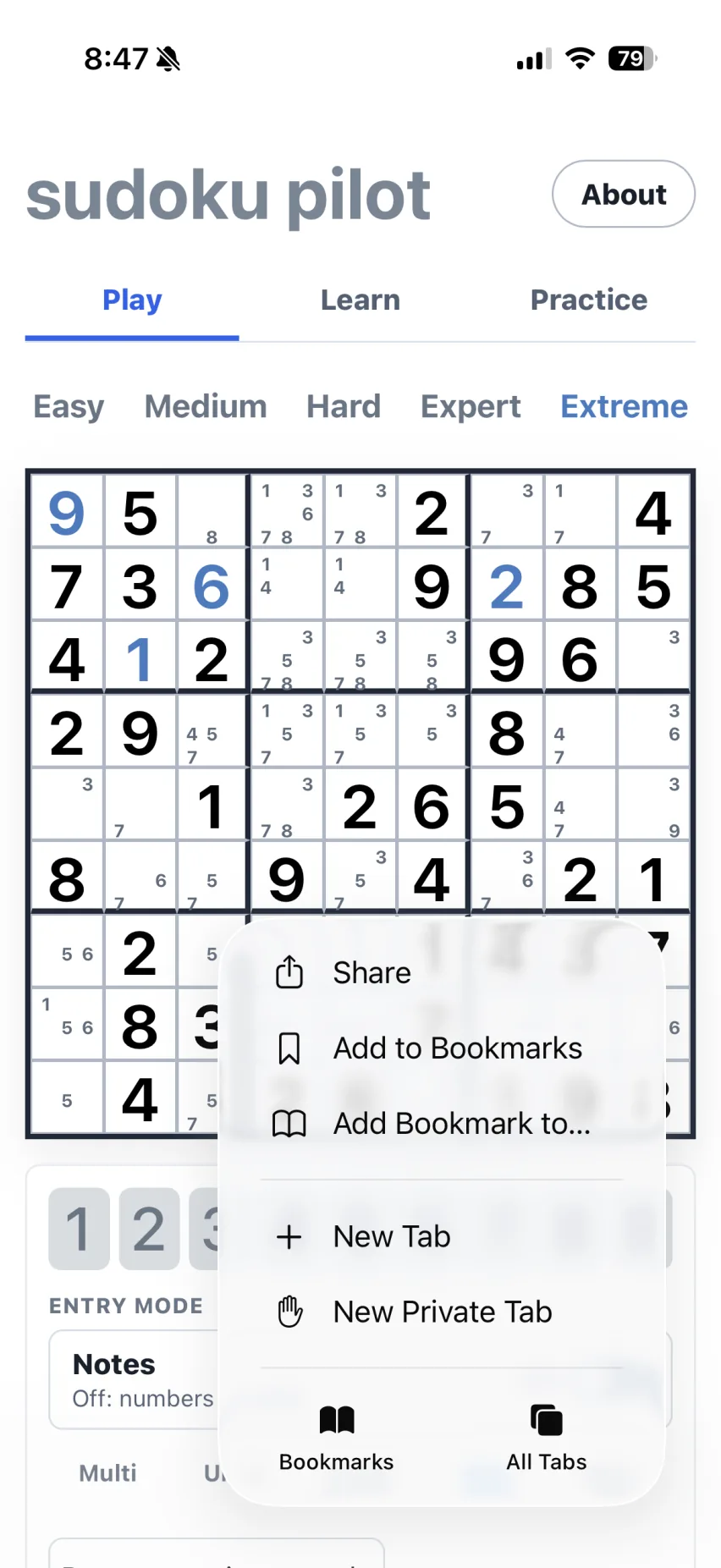
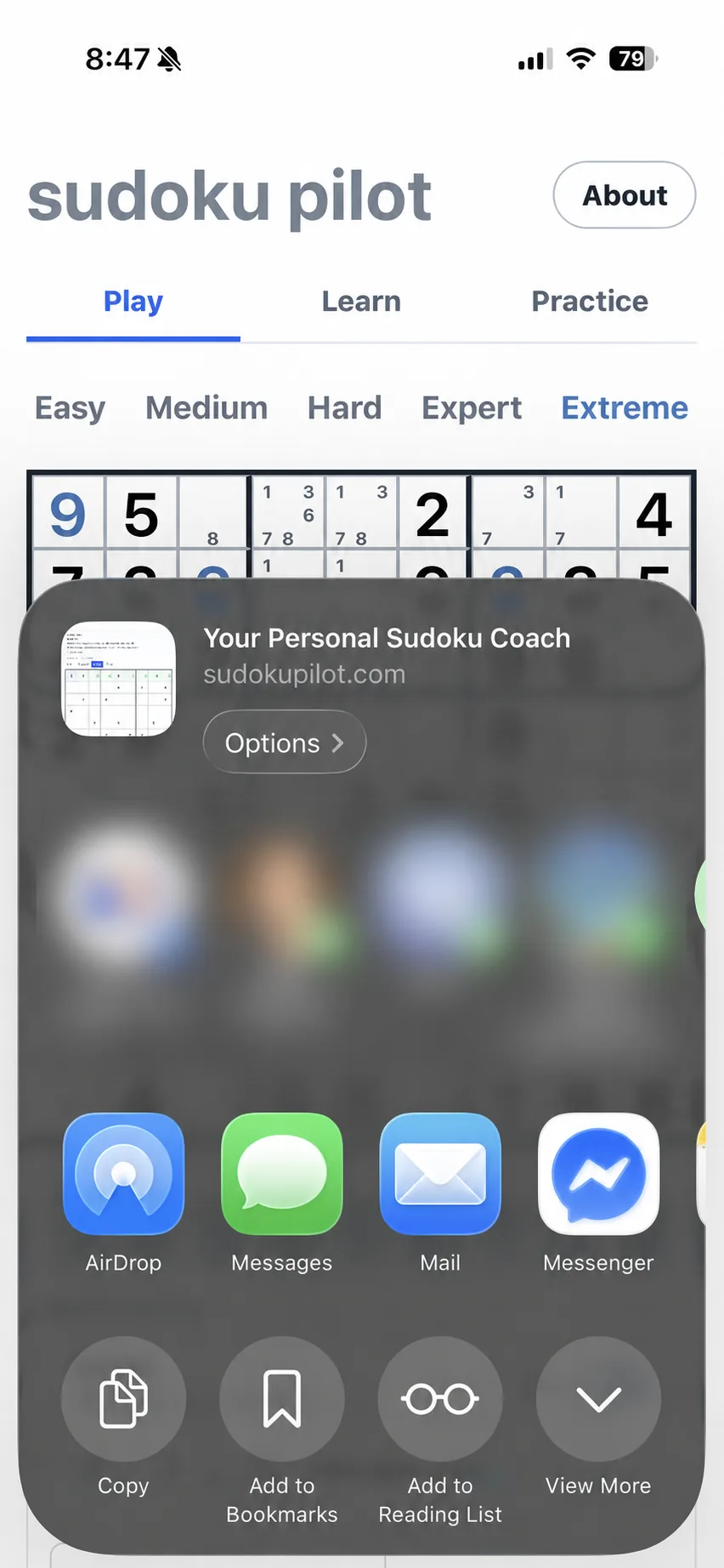
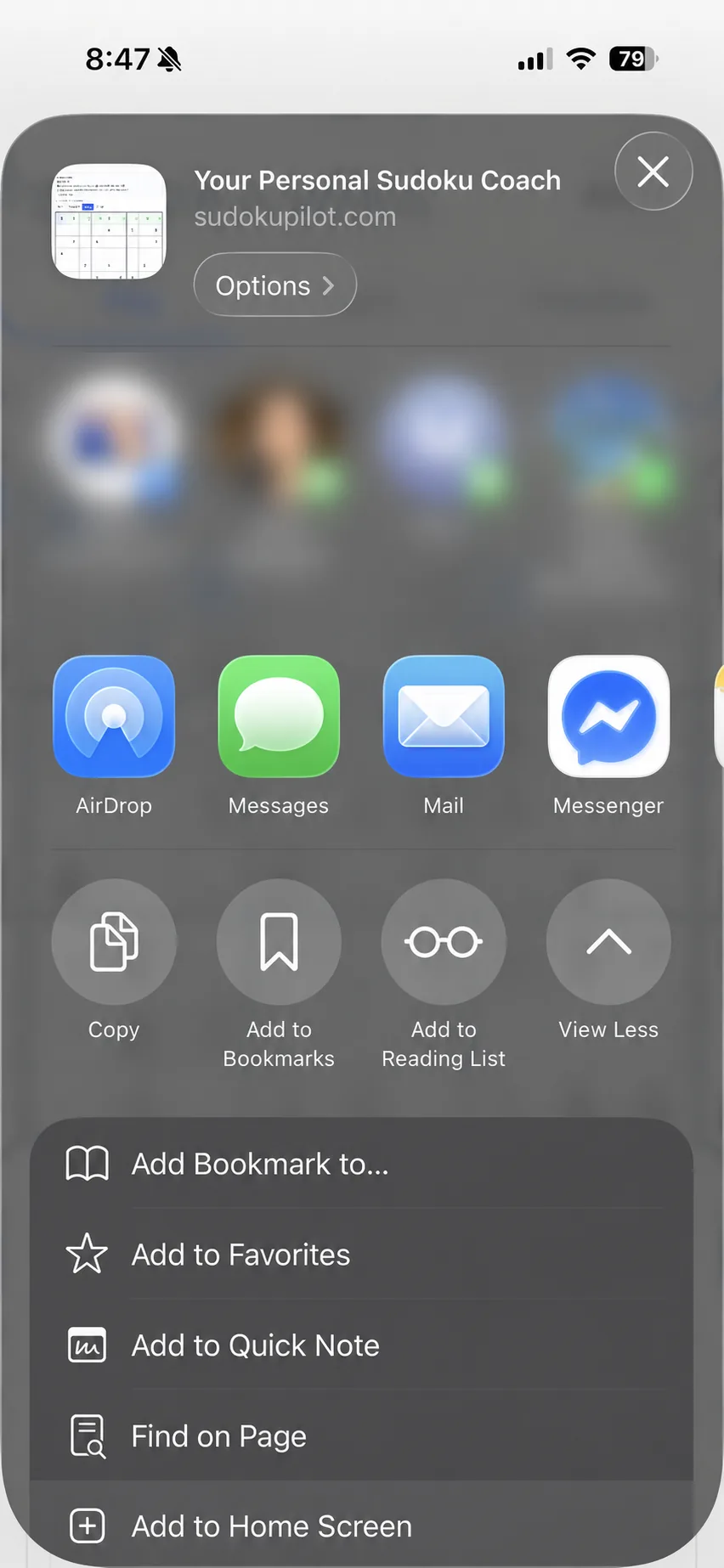
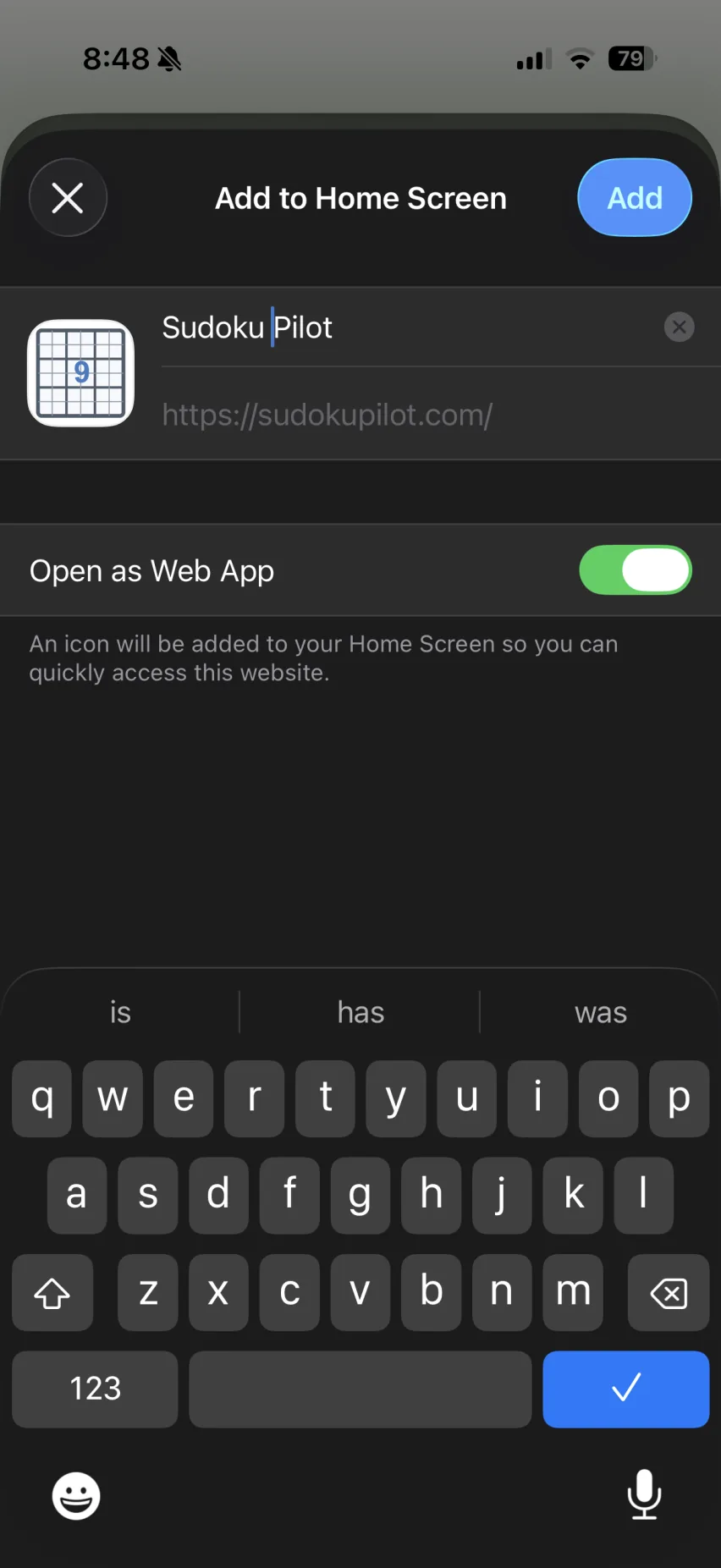
Apple places the install command in Safari's Share menu. The exact icon position can vary by iOS or iPadOS version.
Install on Android
- Open sudokupilot.com in Chrome.
- Open the browser menu.
- Tap Install app or Add to Home screen.
- Confirm the installation, then open Sudoku Pilot from its icon.
Chrome may also show an install prompt in the address bar or on the page. The label varies by browser version and device.
Install on a computer
- Open sudokupilot.com in Chrome or another browser that supports PWA installation.
- Choose the install icon in the address bar, or open the browser menu and choose Install Sudoku Pilot.
- Confirm the installation. Sudoku Pilot will open in its own window.
You can keep using the site in a normal browser tab if installation is unavailable. Offline access comes from the saved app files, while installation adds a convenient launcher and standalone window.
What works offline
The app saves its board, coach, and puzzle generator for offline use. Generated puzzles, manual entry, pencil notes, hints, and technique controls can run from those saved files.
Sudoku Pilot also stores the current grid, notes, undo history, difficulty, and enabled techniques in the browser. Each browser and device keeps its own copy.
Screenshot recognition is an optional online action that sends the selected image to Sudoku OCR through RapidAPI. It requires a connection and available provider quota. Manual puzzle entry remains available offline.
Test it before a trip
Open Sudoku Pilot with a reliable connection and wait for the page to finish loading. Start a puzzle, then switch the device to airplane mode. Close and reopen the installed app.
The board should return with your progress. Clear local data, clearing browser storage, or uninstalling the app can remove saved state and may require another connected visit.